Explore our interactive gallery and dive into Seekia’s digital fashion universe. You’ll see, step by step, how a single photo turns into accurate clothing searches, AI-created outfits, virtual Try-on previews, shareable OOTD images and a virtual wardrobe to organize it all. Every image shows what using Seekia is like day to day.
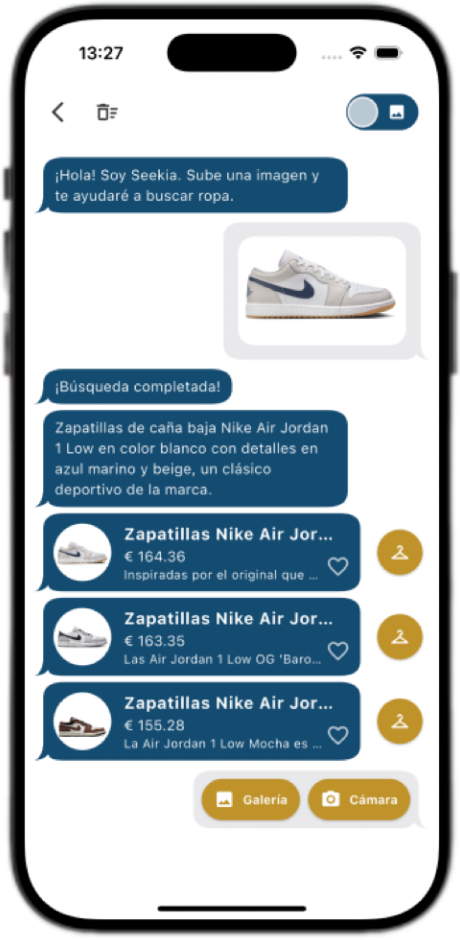
See how Seekia’s camera detects colours, prints and cuts in milliseconds and launches a real-time search across official stores and trusted marketplaces. In the examples you’ll see:
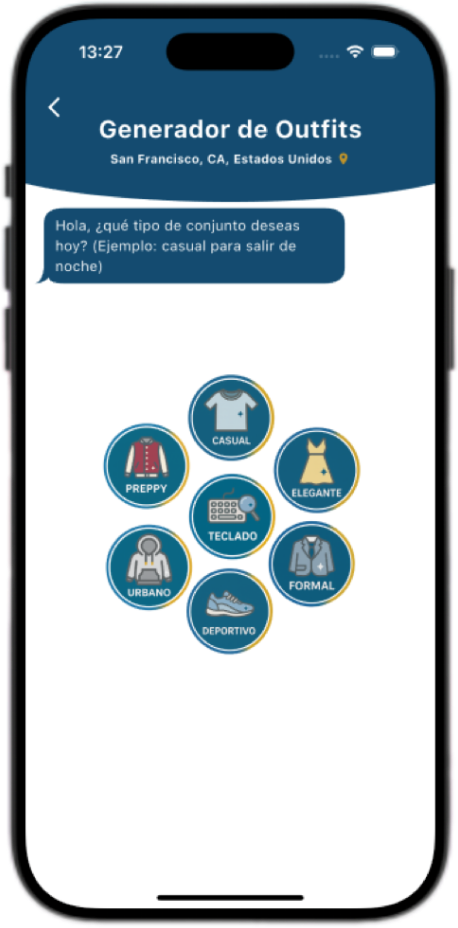
Seekia’s outfit generator doesn’t stop at a single item: it builds the whole look. In the videos and screenshots you’ll see how the app:
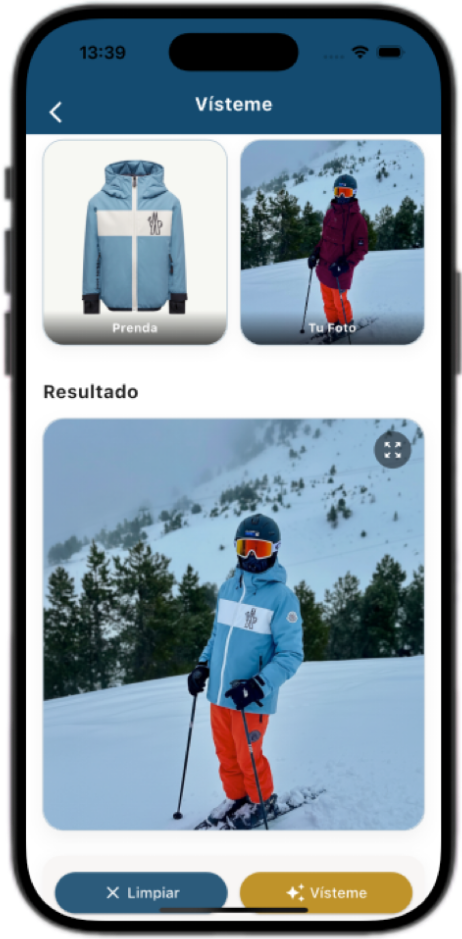
We also show you how Try-on / Dress me works: screens where you upload your full-body photo and previews of how the AI places clothes and outfits on your silhouette. These images help you picture the virtual fitting room, one of Seekia’s most distinctive features.
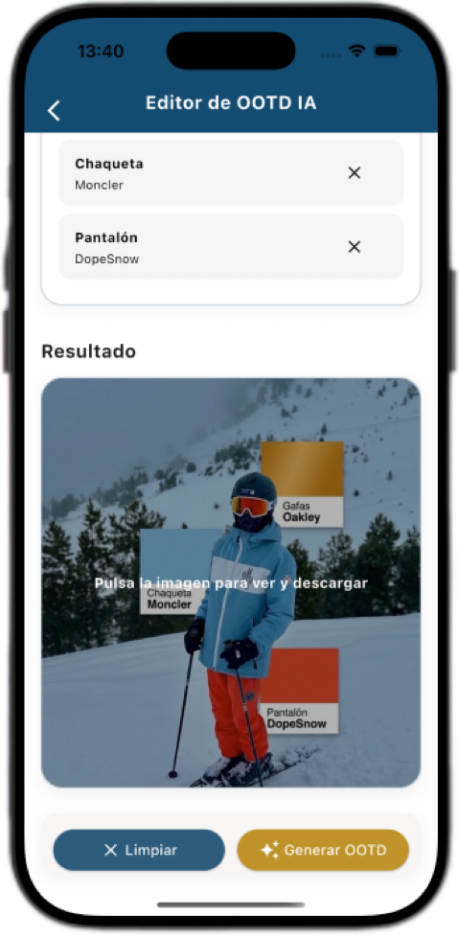
In this section you’ll discover how OOTD (Outfit of the day) mode works, designed for those who want to show their looks in a clear, stylish way. It’s ideal for:
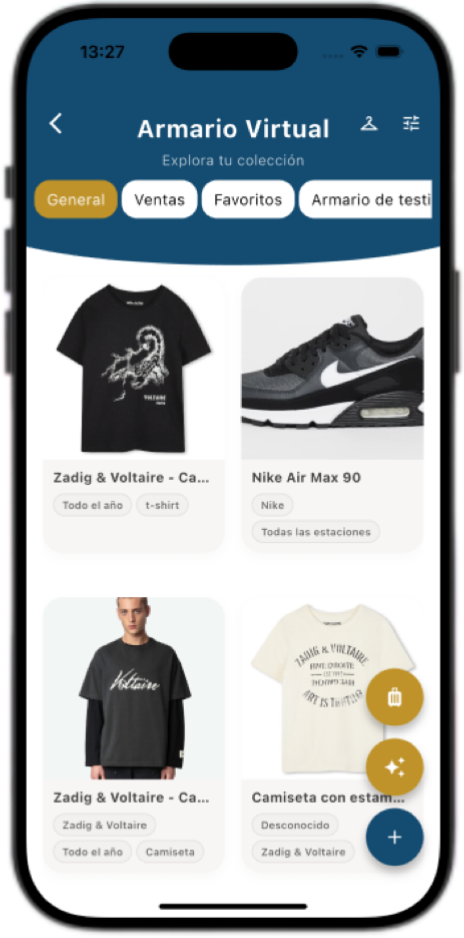
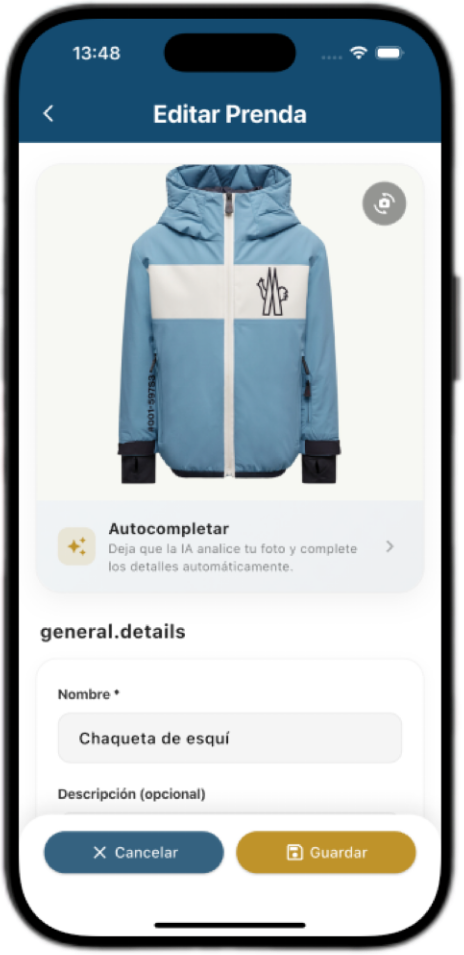
Seekia’s virtual wardrobe lets you store, classify and manage every item you discover or already own. In this section you’ll see how to add an item found in search to your wardrobe with one tap, how to log your own clothes by photographing them, and how the AI automatically fills in details such as item type, colour, season or style.
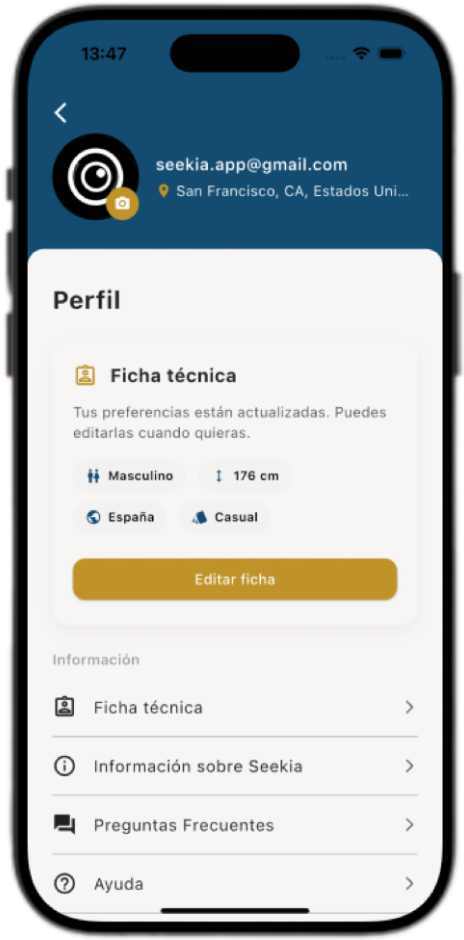
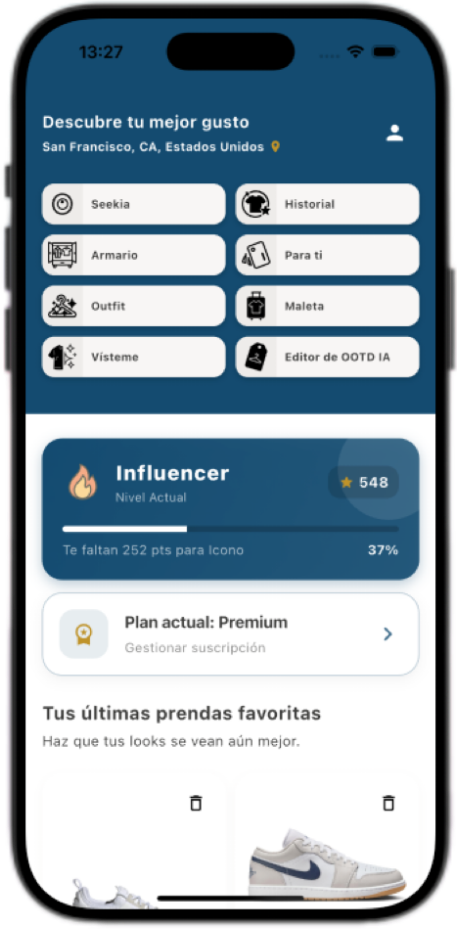
In the gallery you’ll also see the profile screen, where the key settings are gathered:
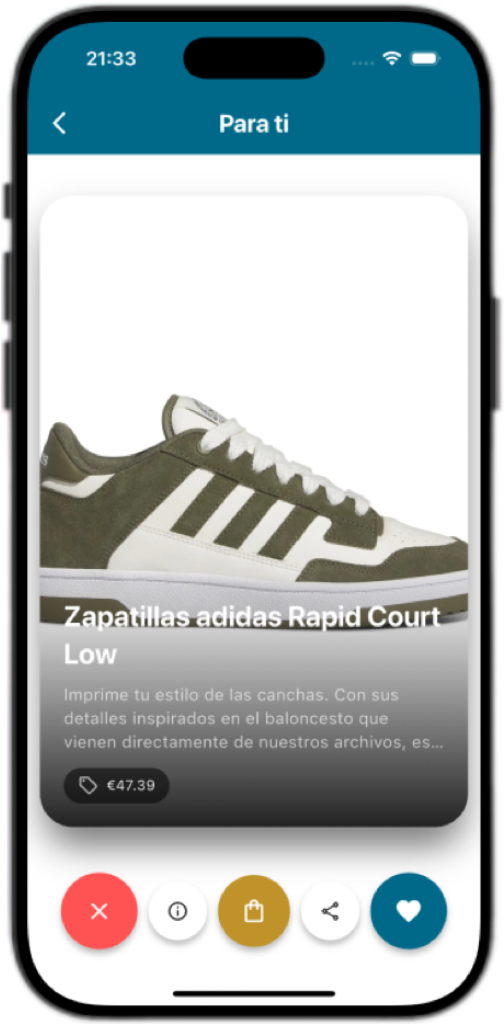
In the “For You” section you’ll see a dynamic feed where Seekia shows you clothes, outfits and style ideas picked for you from your wardrobe, your searches and your taste. The images show cards with photo, brand and price, quick buttons to save or open the details, style and occasion tags, and options to instantly launch a search or a Try-on from any card.
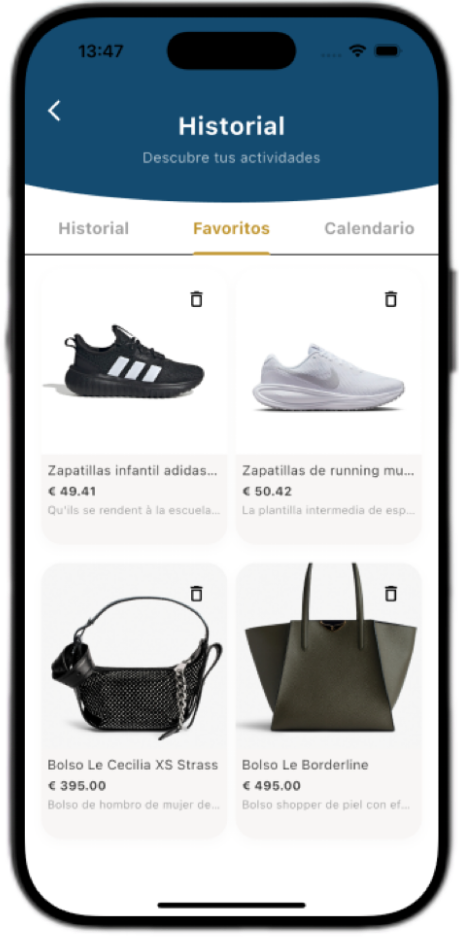
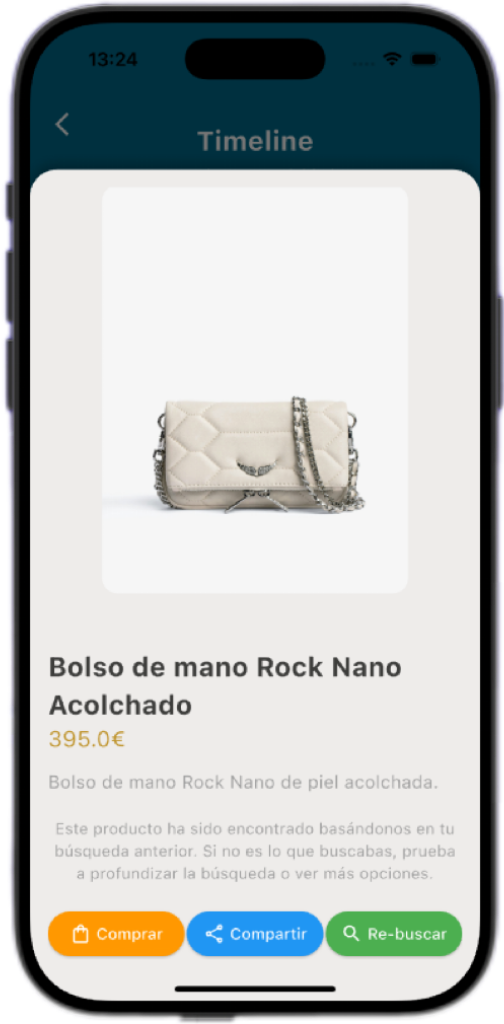
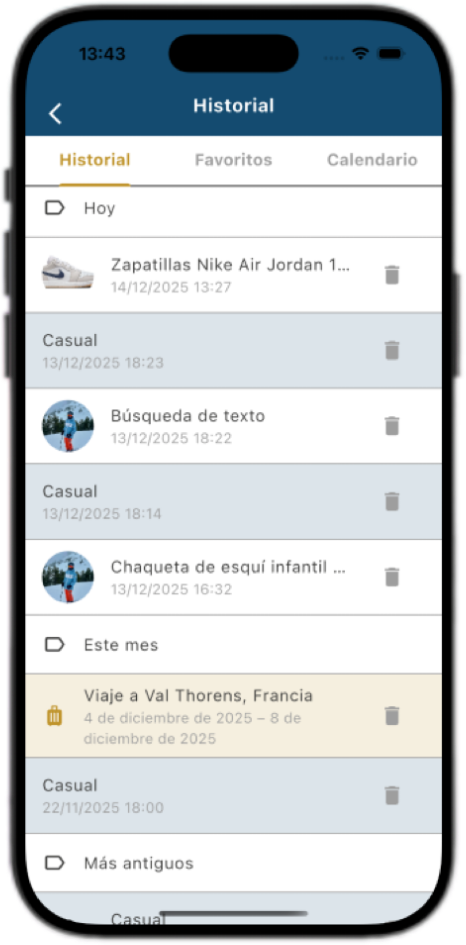
The Timeline is your visual fashion diary within Seekia. The screenshots show a grid of your saved favourite items, the key information for each one, and a chronological record of saved outfits, searches that inspired you and items you liked. The “view again” feature lets you bring back looks that defined your style and use them as a base for new outfits.
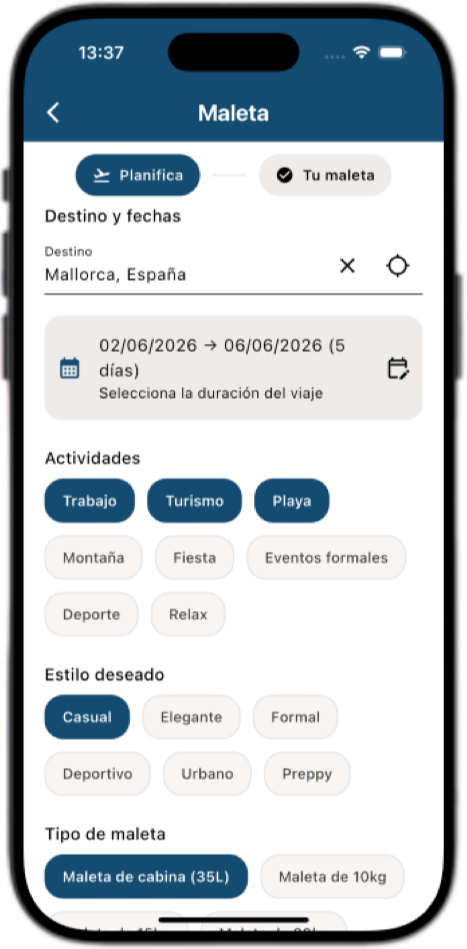
Here you’ll see how the app helps you pack the perfect suitcase for every trip. The images show a screen where you choose destination, dates and activities; how Seekia generates a day-by-day outfit itinerary by combining your virtual wardrobe with new suggestions; and a packing list organized by category that you can mark as “ready”. You’ll also see how the weather and style for each day are shown.
Our gallery shows that Seekia is much more than a clothing search engine:
Let yourself be inspired, download Seekia and start building today the virtual wardrobe that reflects your best self.
© 2025 Seekia. All rights reserved.